OneRiver Media Seeks Local Freelancers

OneRiver Media is currently seeking one or two people to start at a freelance position at our facility, and hopefully leading into a full-time position. The position is unique in that we’d like to find someone that has experience in several different scopes of production and post-production work. If you lack in one or some of the skills we’re requesting, we will help build up that skill set for you, directly by Marco Solorio (owner of OneRiver Media, recipient of many industry awards, writer of countless published articles, instructor on industry tutorials, speaker at industry events, a professional of professionals with over 20 years in the business, and all around nice guy).

Some of the combined skills we’d like to see are the following:

On location on a OneRiver Media production shoot. Marco Solorio hidden behind the camera rig.

Pre-production:
Research, database population

Production:
Camera assist, audio assist, lighting assist, teleprompter assist, slate assist

Post-production:
Video editing, assistant video editing, motion graphics, compositing, audio editing, media encoding

Not required but added bonus skills:
3D modeling, 3D animation, still photography experience, audio recording.


This is the most-used software we use on a regular basis:
Final Cut Pro 7 (not “X”), Avid Media Composer, After Effects, Newtek Lightwave 3D, Color, Photoshop, Lightroom, Illustrator, Pro Tools HD, QuickTime Player 7 (encoding), Compressor, Adobe Media Encoder, Cinema Tools, Dreamweaver, Flash.


General requirements:

  • Friendly, easy-going personality, trustworthy, professional
  • Creative, patience for quality, problem solving skills
  • Willing to work on a production crew in studio and on location
  • Experience in Final Cut Pro 7 (transition to Avid Media Composer is good)
  • Experience in After Effects and/or motion graphics production
  • Must be local with access to Walnut Creek, CA
  • Prefer someone with availability to work Monday through Friday.


What we need from you at this point
We’ll need to review examples of your work. This is required. YouTube, Vimeo, and/or Flickr links are fine.

We’ll also need to know what you’d like to expect in terms of financial compensation, based off your available time and skills set.


Please answer the following bullet points when responding to this inquiry:

  • What is your name, email address, and current city of residence?
  • What is your strongest suit from the “general requirements” listed above?
  • What software are you strongest in? How many years?
  • What production skills do you have? How many years?
  • What post-production skills do you have? How many years?
  • What kind of audio skills do you have? How many years?
  • List links to your demo material we can review.
  • List an example of a problem-solving skill you’ve experienced in the past.
  • What hours during the day can you work? Which days during the week?
  • Please list any awards or extra info about your work experience.
  • If you’ve worked with OneRiver Media in the past, please note the project description.
  • Please list any appropriate references.
  • How did you hear about or know of OneRiver Media?

Please do not call us regarding this inquiry. All inquires for this position should be emailed directly to jobs [a t] onerivermedia [d o t] com. Feel free to attach a résumé to your email as well. And to be clear, this position is not for remotely based freelancers.


About OneRiver Media
OneRiver Media is located in downtown Walnut Creek in the San Francisco Bay Area. Our 3000 square-foot facility has a dedicated edit suite, audio control room, sound booth, shooting room, two offline editing rooms, machine room, conference room (with white board, 55” LED, and 7.1 surround sound), and other rooms to help facilitate our production and post-production needs.

Multicam shoot for Saba Software

Our projects mostly consist of high-end corporate work, medical, and commercial, but are not limited to these market outlets. It’s not uncommon that we will provide “all services” to our clients under one roof, ranging from production shooting, video editing, visual effects, CG, music composition, audio mixing, and digital media encoding for final deployment. Our vast range of combined media production services (all at high quality standards) allow for lower overall costs to the client, with faster turn-around times, while maintaining error-free crosstalk between services rendered.

OneRiver Media's main edit suite

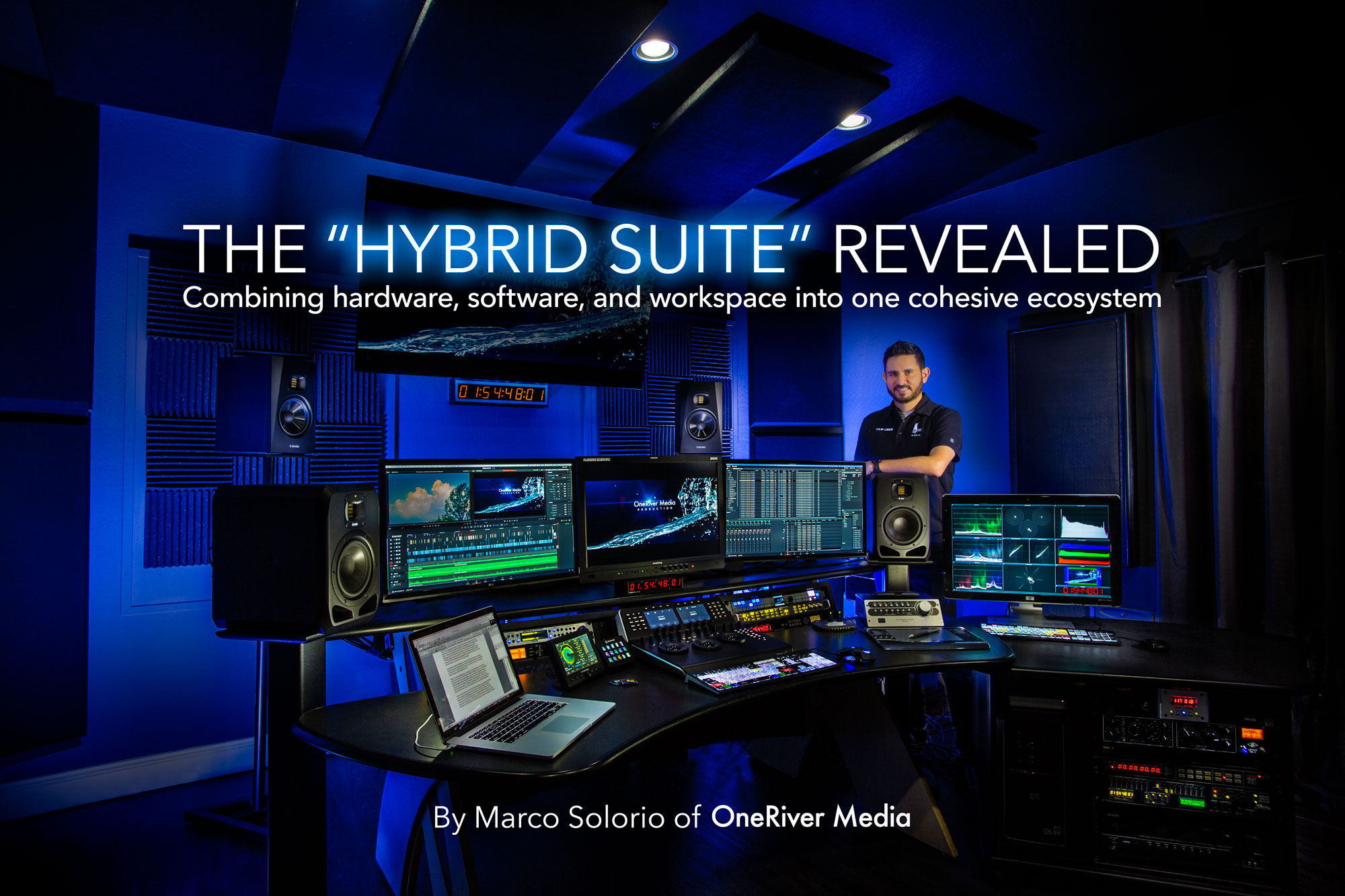
Our color-controlled, noise-free edit suite uses AJA Kona hardware, dedicated waveform/vector scopes, 5.1 surround sound integration and control surface interactivity. We currently use Final Cut Pro 7 and Avid Media Composer 6. Our edit suite is bar-none and trumps many edit rooms we see used for Hollywood editorial.


OneRiver Media's audio control room

Our audio control room is based on Avid/Digidesign Pro Tools HD|3 version 10, controlled by a spacious ProControl control surface desk with 40 dedicated channel strips and Edit Pack section for added control and surround sound support. We have an ever-growing list of software synths and effects plugins to really help each project sound creative, unique, and fresh. The room is also equipped for sound-for-picture with LCD monitoring as well as projector monitoring with an electronically operated screen that comes down for each use. The audio control room can fit seven people comfortably. Our sound booth is big enough for about three people and plenty of I/O for discreet micing and monitoring. We normally pick from our Neumann microphones, but have several others to choose from as well (AKG, Sennheiser, EV, Sony, CAD, Shure, Crown).


Posted in Uncategorized | Tagged , , , , , | Leave a comment

Upgrading our Audio Control Room

We recently updated our audio control room to better service the demand of our clients requiring custom music scoring, sound-for-picture, foley recording, and general audio mixing services.

From the outward appearance, our audio control room looks the same. It's what you can't see that has been greatly updated!

Our audio control room at a glance:

  • Pro Tools HD|3 Version 10 (Updated)
  • ProControl mixing console with 40 physical channels and 5.1 surround sound Edit Pack control section (Same as before)
  • MacPro with 32GB RAM, 16TB sound library (Updated)
  • Dozens of software synth packs and effects plugin packs (Updated)

Sound Libraries/Synths (new additions to existing library)
East West Hollywood Strings Diamond collection
East West Hollywood Brass Gold collection
East West Deep Impact – Cinematic Atmospheres & SFX
East West Dark Skies: Cinematic Ambiences
East West Perception Cinemascapes
East West Symphonic Orchestra Platinum Plus CCC License
East West Pianos Gold
East West Symphonic Choirs Bundle
East West Goliath
East West Stromdrum 2 Bundle
East West Voices of Passion
East West Ra
Propellerhead Reason 6
MOTU MachFive 3
Native Instruments Komplete 8
Native Instruments Heavyocity Damage Percussion Instrument
Native Instruments Heavyocity Evolve Mutations Bundle
Native Instruments Heavyocity Evolve 1.5
Novation V-Station Synthesizer
Ilio Spectrasonics Symphony of Voices

Plugin Library (new additions to existing library)
Waves SSL 4000 Collection
Waves L3-16 Multimiximizer Bundle
Waves Vocal Bundle
Waves Dorrough Meters (we love our real ones too!)
Waves GTR3 with hardware input model
Focusrite Forte Suite Channel Strip
Antares Auto-Tune 7
Antares Mic Mod EFX
Nomad Factory Analog Mastering Tools.


Our audio control room is based on Avid/Digidesign Pro Tools HD|3 version 10, controlled by a spacious ProControl control surface desk with 40 dedicated channel strips and an Edit Pack section for added control and surround sound support. Our ever-growing list of software synths and effects plugins really help each project sound creative, unique, and fresh. The room is also equipped for sound-for-picture with LCD monitoring as well as projector monitoring with an electronically operated screen that comes down for each use. The audio control room can fit at least seven people comfortably.

Looking to the rear of the audio control room at OneRiver Media.

Our sound booth is big enough for at least three people and plenty of I/O for discreet micing and monitoring. We normally pick from our Neumann microphones, but have several others to choose from as well (AKG, Sennheiser, EV, Sony, CAD, Shure, Crown). All of the audio hardware (computers, hard drive arrays, expansion units, fans, etc.) is isolated in our machine room to keep the audio control room quiet and noise free. A few minor updates have been installed in the sound booth as well, including better timecode monitoring integration.

The sound booth at OneRiver Media.

Posted in Editorials | Tagged , , , , , , , , , , , , , , , , , , | Leave a comment

Happy Holidays from OneRiver Media!

Click to enlarge


And in case you missed our holiday card from last year!

Click to enlarge


Happy holidays to all!


Posted in Uncategorized | Tagged | Leave a comment

First Look: VAF-5D2 Optical Anti-Aliasing Filter

It’s not very often a product comes to market that seems like it’s nothing short of magic. At first glance, the VAF-5D2 Optical Anti-Aliasing Filter by Mosaic Engineering is such a product. I was skeptical at first with this $385 product, but after reading some positive feedback from Philip Bloom at its initial prototype stage, I knew this product was for real.

It took longer than expected to arrive here at out facility (ordered back in August, and arrived here mid-November), but the wait was worth it. After some initial A/B testing with and without the filter, I’m thrilled with the results. The science behind this device is amazing, and it works, and it works extremely well.

Looking around the facility, I tried to find something I could shoot right away to really put this filter to the test. After going through all the rooms in the facility, I stumbled on something that was perfect: an Ampeg bass amp cabinet. The interwoven silver mesh covering of the cabinet creates all the aliasing, moiré and rainbow effects you could ever hate. The aliasing is so bad in fact that it causes the Canon encoder to pulsate on the aliasing portions. Without the VAF-5D2 filter, such footage would be completely useless. With the filter, it’s as clean as a whistle. I’m still shocked at how well this filter works, especially since looking at the filter with the naked eye doesn’t reveal any optical characteristics that make the filter work (it just looks like a clean, clear piece of glass).

I shot the footage handheld to further amplify the aliasing problems with the native 5D Mk II. I also pushed the camera in and out so that the focal plane (where aliasing is most present) would also be more noticeable. The first comparison was shot at an angle so that the focal plane was most obvious (causing DOF blur behind and in front of the focal plane). The second comparison is flat against the amp cabinet so that the focal plane covers the entire face, causing an aliasing nightmare, again pushing in and out to see how the aliasing reacts.

I used our Canon 50mm f/1.2L at f/2 to keep the lens sharp. I also shot at 160 ISO for least sensor noise, and 1/50th shutter speed to replicate what we normally shoot at.

Viewing at full 1080 HD resolution (the is important to really see the comparisons), you can easily see the difference in quality. With the VAF-5D2 installed, the image is completely clean of any aliasing or moiré effects. It’s like having a new camera by Canon! Converting this test footage to ProRes and outputting to our HD monitors (CRT and LED) REALLY shows off the hideousness of the aliasing without the filter installed, and the clarity of the footage with the filter installed. Just amazing.

Installation and removal of the VAF-5D2 is quick and easy. They give you a little puller tool to remove it from the sensor housing area.

The VAF-5D2 does have some drawbacks (crazy, I know). For one, your focus distance changes slightly, which wont be a big deal for many, including myself. Some wider lenses, 24mm and below may causing some vignetting or softness at the corners. I found that I did get some slight vignetting at the corners with my 24mm f/1.4L II, and my 16-35mm f/2.8L II between 16-24mm. Our 35mm f/1.4L seemed fine, as well as anything at higher lengths. Personally, the vignetting is minimal and I’d rather fix that in post (very easy) with no aliasing and moiré than the other way around. Also, if you take still photos with your 5D Mk II, you need to remove the VAF-5D2 for optimal still photo quality (only takes a few seconds to remove it).

Okay, well, so much for a short “first look” review. I love this new filter so much that I guess I went into full review mode. At any rate, the sooner you order your VAF-5D2, the better as it took mine almost three months to get here. But again, well worth the wait. For a three-year-old camera, I feel like I have a new camera again. I can’t recommend the VAF-5D2 enough.

Check out the comparison video we shot here on Vimeo:


All product still photos on this blog post from Mosaic Engineering’s website:

http://www.mosaicengineering.com/products/vaf-5d2.html


Posted in Reviews | Tagged , , , , , , , , | 14 Comments

Canon, Avid, and RED, oh my!

Marco Solorio at Paramount Pictures for the big Canon event.

If there’s one thing I’ve learned in this industry over that past 20 years is that no matter how much I think I might know what new technology is coming around the corner, the fact is, there’s always a few surprises when new stuff actually is announced.

Last Thursday (November 3, 2011), there were three major announcements from industry players, in this order: Avid, Canon and RED. To my surprise, none of the announcements played out as I would have expected. This is neither good or bad, it just caught me off guard.

Avid in the morning — Media Composer 6
Avid started the day out with its “live” video stream of their Media Composer 6 announcement. Let’s get one thing out of the way first; the Media Composer 6 update by Avid release is huge. It’s awesome. It’s a home run. I’m extremely looking forward to upgrading. The biggest thing for me is AJA Kona 3 hardware support. The refresh to 64-bit is nice too, although it’ll be a short while for any plugins you have to upgrade to 64-bit as well.

Okay, so what was so surprising about Avid’s announcement? It wasn’t the Media Composer 6 update itself that was so weird, it was how Avid announced it. You had to pre-register on Avid’s website to watch the live feed of this announcement. So me, like many others, was expecting to see a live broadcast from a stage somewhere in the world showing off all the cool new features of Media Composer 6. Instead, it was a pre-recorded, edited soapbox snoozfest on boring marketing slop, which included testimonials of people that most people don’t even know.

Avid finally adds full third-party hardware integration into their Media Composer 6 update.

To make matters worse, they never even showed the Media Composer 6 interface at all or any of its features. This was a huge failure by Avid. I think most viewers, myself included, felt as if we’d been had. Almost a bait-and-switch move where Avid had all of us glued to our computer screens, only to switch gears and tell us how awesome they are. Seriously Avid, you don’t need to “sell” us Media Composer 6… the software itself will sell us. All you had to do was show us live interactions with the new features, and everyone would have been tickled. What we saw instead was something that could have been uploaded to YouTube. But considering how boring and useless Avid’s video was, I guess they would have known everyone would have ended up watching singing cats instead.

The irony is, Avid ended up uploading video of the new MC6 features on their website. Why the hell didn’t they just do this from the get-go and call it a day? Urgh! Anyway, for in-depth coverage of the Media Composer 6 update, here are some useful links:

Avid’s own Media Composer 6 video examples
AJA’s hardware integration with Media Composer 6 on Vimeo
Walter Biscardi’s review of Media Composer 6 on Creative Cow
Michael Kammes’ review of Media Composer 6
Stu Maschwitz’s review of Media Composer 6
Shane Ross’ review of Media Composer 6


Canon in the day — C300 and Cinema Lenses
So we flew down to Hollywood for the big Canon event thanks to an invitation by my friend, Donald Berube (Boston FCPUG). Now let me first say that, unlike Avid, Canon pulled off a PR masterpiece. They literally couldn’t have done it better; right down to staging the event in Paramount studios. The main theater (full size, full projection) played short films created by well-known people in the industry that were shot exclusively using the new C300. For me, Vincent Laforet’s “Möbius”was the most engaging of the four short films. Another film, “Max is Back” by Richard Crudo, ASC was played back on a 35mm film print so you could really see how the film looked in true 35mm film playback. Each film also had its own dedicated behind-the-scenes film, which was really nice.

Vincent Laforet looking over the many Canon lenses on display at the Canon event.

Canon had ALL the goods on display, even the newly announced camera rigged out from different manufacturers, including Redrock Micro, Letus and Zacuto, all of which could be picked up and handled (all cameras were fully functional). They had lens displays, a couple small stages for speaker presentations, technology stations, a ton of Canon people to answer questions, plenty of food and drinks and security up the ying-yang. In short, Canon pulled all the stops on this event and had to have cost millions.

Marco Solorio gripping the new C300 with 24mm cine prime outfitted in Redrock Micro rigging hardware.

So what was the problem? The product itself. Yep, you read that right. So Canon’s flagship product to enter themselves into the cinematic production market is a camera that only records at 1080 HD resolution (wasted from a full 4K sensor), and if you want to over-crank for slo-mo effects, you have to resort down to 720 HD. Then there’s the fact that the camera will only record internally at 50 Mbps compression MPEG-2 at 8-bit quantization. A partial saving grace is that it does have “clean” HD-SDI and HDMI outputs (full 1080 HD output without overlays), but even those outputs are 8-bit. Forget about any dual-stream 4:4:4 options on this unit. This is a cinema camera? With an MSRP of around $20k USD for just the body? What are you thinking, Canon? Oh and did I mention that if you want to use PL-mount lenses, you have to use a completely different C300 body (the “C300 PL” to be exact). Canon didn’t design it so that a simple mount could be swapped between EF and PL mounts. What a shame.

A non-rigged C300 in basic form, with a mounted 85mm f/1.2L lens. On a DSLR, this lens looks huge. On the C300, it looks miniscule.

Spec sheets aside, the image does look pretty good on the silver screen, although my impression was this: it basically had the look of a clean HDSLR image (and without the issues of aliasing and rolling shutter). That’s neither good nor bad, but I didn’t get the “wow factor” of Arri Alexa latitude gloriousness. From viewing from the silver screen, some shots were nice and sharp with great detail in fine hair elements, while some shots were quite soft. One shot burned into my memory was an external shot that was horribly soft, and almost degraded looking. I did notice that some other shots did have some clipping in the highlight detail. The 20k ISO rating is pretty impressive however, and the examples on the silver screen did seem to hold up. You saw the noise (or “grain” as Canon likes to say) but it did seem to have a slight organic look to it. Definitely wasn’t bad looking, so positive marks there.

Marco Solorio and Donald Berube hanging out at the Canon event.

Honestly, I see this as a $6000 or $7000 camera, max, but definitely not a $20k camera. I’m not really sure what market is going to buy this camera; surely not the Arri Alexa or Sony F65 market. It’s way too expensive for HDSLR shooters to buy and justify. And those that can afford RED, will, well, go with RED (more about that in the next section).

Canon also showed off three brand new cinema prime lenses, along with two previously announced cinema zoom lenses. These lenses are dressed to the nines. Man, are they beautiful. All lenses are fully geared, have large diameters, have long throws, and more. The primes (24mm T1.5, 50mm T1.3, 85mm T1.3) are set for an MSRP of $6800 USD each and the zooms (14.5-60mm T2.6, and 30-300mm T2.95-3.7) for an MSRP of $47k USD each. The primes are quite a bit more costly (about $2600) than the comparable Zeiss CP.2 cinema primes (comparable due to both manufacturers offering EF mounts, the only to do so for cinema lenses). The Canon primes are a bit faster than the Zeiss counterpart (T1.3 versus T2, respectively), so the added cost might be worth it for some. But here’s the kicker: The 30-300mm Canon cinema zoom is NOT constant aperture like other cinema zoom lenses in its class. It really makes me wonder why anyone would spend $47k on a Canon cinema zoom that is not constant aperture over a competing cinema zoom (Arri, Zeiss, Cooke, Panavision, etc.) that is constant aperture. To me, having constant aperture should be a requirement if labeling the lens as a cinema lens.

Canon's assortment of new cinema lenses. Two zooms, three primes.

I’m a HUGE Canon fan. Been using Canon 35mm film SLR cameras and lenses since the late 1980’s, and my 5D Mark II professionally since the day I got it, and still running strong with it (for both still photo production and HD video production). But in a way, I’m pissed off at Canon. They have the technology and manufacturing to build a truly historic, competitive and amazing cinema camera, but they missed the mark. They had the whole world watching and pulled off an event in Hollywood that truly gave them the spotlight they wanted. All for a “cinema” camera that shoots 1080 HD resolution, with 8-bit MPEG-2 compression.

Surprisingly, Canon did announce a future DSLR camera they’re working on that will record 4K resolution, but why not now with the C300? It just doesn’t make any sense and left a lot of people scratching their heads. Canon did build a new website around their new cinema line though:

http://www.cinemaeos.usa.canon.com

Canon's "C" prototype DSLR that will be video-focused, shooting 4K resolution.


RED in the evening — Scarlet X
So Avid announced a great product but did so in a horrible way. Canon announced a buzzkill of a product but did so in the best way I’ve ever seen done. So where does this leave RED? Interestingly enough, RED missed the mark as well, much akin to Avid’s mistake. The announcement of the Scarlet X itself is huge; now this is the camera that Canon should have made! It’s basically the same $40k RED EPIC camera, but with different frame-rate options and slightly more compression. And the kicker? It starts at $9750 for the body. But here’s where RED didn’t seize the moment: they should have capitalized on all the flock of invited attendees that went to the Canon event, and left their doors open for the weekend for people to come and see the new Scarlet X in person. I tried to hop over to RED to get an in-person demo on Friday evening, but my contact at RED had to fly back home. I know there would have been a ton of overflow people from the Canon event that would have seriously liked to see the Scarlet X and visual examples of it, had RED’s doors been open for this.

RED's new Scarlet X with a mounted Canon EF lens. What the Canon C300 should have been?

Okay, so PR aside, the Scarlet X is definitely a winner in my book. I’m looking forward to seeing some footage, although it probably wont look different than an EPIC for the most part since the sensor is the same. Units are supposed to be shipping by December 1st (yes, 2011). Unfortunately RED is known for their botched announcements, timelines, and price-points, but I think they might stick to their promises this time around. I’m tempted to put down my 10% on the Scarlet X, but I might just wait a little before I do, so I can see RED’s promises come to fruition. If they do, I think this is the next camera we’re going to invest in. Scarlet X info and specs here:

http://www.red.com/products/scarlet


In a nutshell:

-       Avid’s update to Media Composer 6 is a winner. Too bad the announcement itself sucked. Regardless, we’ll upgrade to MC6 for sure.

-       Canon’s Hollywood event was a fantastic gathering of product and people. Too bad the product itself was a buzzkill. No thanks on the C300. The cine primes might work for some. The cine zooms seem priced too high.

-       RED’s new Scarlet X looks to be a grand slam. Too bad they didn’t have their own event for people to come check out product and footage. If all goes as RED claims, we’ll be buying one—our first investment with any RED product.

Posted in Editorials | Tagged , , , , , , , , , , , , , , , , | 1 Comment

Reviewing the ONETAKEONLY Pad Prompter

If you’re looking for a compact iPad based teleprompting system for your production workflow, you should check out our latest review over at CreativeCow.net. There we review the ins and outs of the Pad Prompter by ONETAKEONLY.

Posted in Reviews | Tagged , , , , , , , | Leave a comment

August Shake Up

Well as it turned out, August has been the busiest month of the year for us. This is interesting considering August is usually a slow month, with people taking time off for summer vacations with their families. A fluke? A sign of a bounce-back economy? Personally, I feel it’s the latter. I’m seeing many people in the industry taking on more and more projects as of late. It really seems like everyone is busy these days and that’s great to see.

For this month alone, we’ve serviced clients that include projects for McKesson, Huawei, VMWare, Walmart, Quest Systems, SalesForce.net, Ravelco, New York Stock Exchange, Revlon, and Southwest Airlines to name a few. To say the least, it’s been extremely busy over here.

After August we continue with McKesson, Huawei, and Quest, and are booked with new project (by repeat client) for Omnicell. The icing on the cake is a production trip down to Costa Rica for what should be an amazing adventure to the rain forest, capturing footage of exotic wildlife and beauty.

So yes, something is in the air, or the water, or both, because whatever it is, it’s keeping everyone I personally know busy these days.

Shooting at McKesson this week in downtown San Francisco, California. Click the photo to view more images.

Posted in Editorials | Tagged , , | Leave a comment

Happy Birthday, OneRiver Media. 10 years old! What’s Next?

2011 marks the 10th year anniversary for OneRiver Media being in business. Not too shabby, especially during some of these trying economic times. To celebrate, we’re giving away something free, but more about that in a bit.

Prior to owning OneRiver Media, I co-owned DigitalXtreme for about five years (strictly a post-production, interactive and visual effects facility), and prior to that I freelanced within the Bay Area for many years, starting back in 1991, ranging from audio engineering (most of what I did in those days), visual effects, pre-press design, and interactive authoring (mostly CD-ROM and EnhancedCD work). So I’ve been in the industry for about 20 years now.

When I started OneRiver Media back in 2001, my initial goal was to produce original content that would then be sold, distributed or aired on broadcast. But like any business, I needed to make sure I had positive cash flow coming in to pay for all the expenses that are associated with running a business (and maybe make a little profit to take home while I was at it). I quickly realized that my original idea for original content production was going to have to be put on hold, while the corporate and broadcast gigs paid for the bills. I didn’t mind, nor do I still mind today—it’s something I honestly do enjoy doing on a day-to-day basis. Luckily the majority of corporate projects I’m a part of are creative and interesting, and hope they continue to be (knocking on wood).

But finally after many years of producing creative content for others (corporations and broadcasters), it looks like we’ll be venturing into creating original entertainment content that is wholly owned and produced by OneRiver Media. The best part too is that the content itself is something that is socially positive, respectable, creative, artistic, fun and engaging—something we can be proud of. But I’m no dummy… we’ll still be fully engaged with paid corporate gigs as they come in!

All the years (decades?) of developing our talents will now be applied in unison for this new content, including cinematic production, visual effects, music composition, interactive authoring, 2D & 3D modeling & animation, audio production, finishing and so much more. There’s really no limit to what we’ll be able to do for this new endeavor, and it makes me happy to know that my entrance into my third decade of creative media production is positioned in a way that allows me to finally develop my own original content. In a way, it sort of feels like the two last decades have been preparation for what’s about to come next.

Of course I can’t announce what original content we’re producing just yet, but believe me, I’ll be shouting and screaming from the rooftops once it’s ready for public consumption!

Happy 20th anniversary in the industry to myself, and happy 10th anniversary, OneRiver Media. May the next ten years continue to be full of surprises, creativity, learning, teaching, fulfillment, joy and humble gratitude. Many thanks to everyone that has been on the journey with us; clients, colleagues, friends and family. Cheers!

Oh yeah, what about that freebee? As a token of our gratitude, we’re giving away one of our stock footage clips, free from our exclusive RevoStock.com library for one month only (offer ends September 30th, 2011). All we ask is that you follow us on Twitter and join our Facebook page if you haven’t already done so. After that, either post a comment below (just type, “Free stock clip”; we wont publish your comment after approval) or email us. We’ll then email you back a link and coupon code to download the surprise 1080 HD video clip for free. Easy!

  1. Follow us on Twitter @onerivermedia
  2. Join our Facebook page at facebook.com/onerivermedia
  3. In the comment section below (or email us), type “Free stock clip” along with your Twitter name and Facebook name so we can authorize your follow (your comment/info will NOT be published as we manually approve each one prior to publishing. If you type something else in the comment, we will publish that instead).
  4. We’ll then email you back a link, code and instructions on how to download the surprise pre-selected 1080 HD video clip for free. Easy!

You’ll want to make sure you check our tweets and Facebook page as we’ll be giving away other deals later in the future… this is only the beginning!

Thanks again to everyone!

Here is a sample of our exclusive stock footage, only available at RevoStock:

Searching for Revostock media assets ...

Posted in Editorials | Tagged , , , , , | 1 Comment

Tuesday Tip #7 – Free Fonts

Whether or not you’re a professional content developer, chances are you like fonts. And chances are you like free fonts! Okay, so maybe not the most amazing Tuesday Tip to date, but very useful nonetheless. I used to own a healthy collection of font libraries I’d buy on CD (or even floppy disk, going way back in time). But with the advent of both the internet and advertising, there a some website resources that have valuable free content. A top pick of mine is dafont.com with around 13,000 fonts to date.

I’ve used dafont.com for many years now, and their site has gotten better and better over time. You can narrow your search down by font category or by using their search engine. I especially like the ability to type in your own word or full sentence to see how the font will actually look with the word or design you’re going for; no need to download and install a font just to find out it looks horrible with the word you want to use it on. This makes browsing and selection of fonts incredibly fast.

Typing in your own sentence for font previews saves bandwidth and time from needless font installations for testing. Note the second font doesn't have a period symbol in its character set. Something to watch out for when selecting fonts if you need more than just alpha-numeric characters in your design.

And just because these fonts are free doesn’t mean they’re crap. There are honestly some truly great fonts in there. But be aware that some fonts carry some usage restrictions, namely if you’re using it for commercial use. Each font clearly explains what the usage rights are (even before you download it), from totally free, to personal usage only, and donation requested. If there is a restriction for commercial use, it’s sometimes required that the font creator simply wants to be notified and receive credit if it’s used. Fair enough. Each font comes with a clearly written terms-of-use text file contained within the zip file you download. You don’t even need to register on the website… just download to your heart’s content!

It’s these kind of web-based technologies that make the internet so damn cool.

Posted in Tuesday Tips | Tagged , , , | Leave a comment

Reviewed: Avid Media Composer for Final Cut Pro Users

Today we released a new product review over at ProVideo Coalition. With our recent transition over to Avid Media Composer, we received the online and DVD instructional material, “Avid Media Composer for Final Cut Pro Users” from Class on Demand.

Did it fit the bill for us? Was it the right kind of instruction for transition, or were we hobbled with needless instruction that showed us “editing basics” that we skimmed through? And what worked better for us, their online training, or their DVD version? You may be surprised!

Posted in Reviews | Tagged , , , , , , , | Leave a comment